Blog · AI
Ask AI About What's on Your Screen — Without the Upload-and-Retype Dance
The question is about the thing in front of you. Getting it to the AI shouldn't be a five-step project.
You know the loop. Something on screen needs explaining — an error dialog you’ve never seen, a dense settings panel, a chart with an unlabeled spike, a paragraph of German legalese. So you: screenshot it, save it, switch to the ChatGPT tab (or the app), drag the file in, wait, read the answer, switch back, and act on it. Thirty seconds of question, two minutes of logistics. Do that five times a day and the AI is paying for itself in context-switching alone.
What the short loop looks like
The capture and the question are one gesture. In iShot you grab the area, then open the AI panel on the screenshot itself — the image is already there, no upload step, no file browser. Ask in plain language: “what is this error and how do I fix it?”, “translate the gray text to English”, “which of these settings do I change to stop the auto-refresh?” The answer streams back next to the thing it’s about — we wrote up the basics in how to ask Claude about a screenshot.
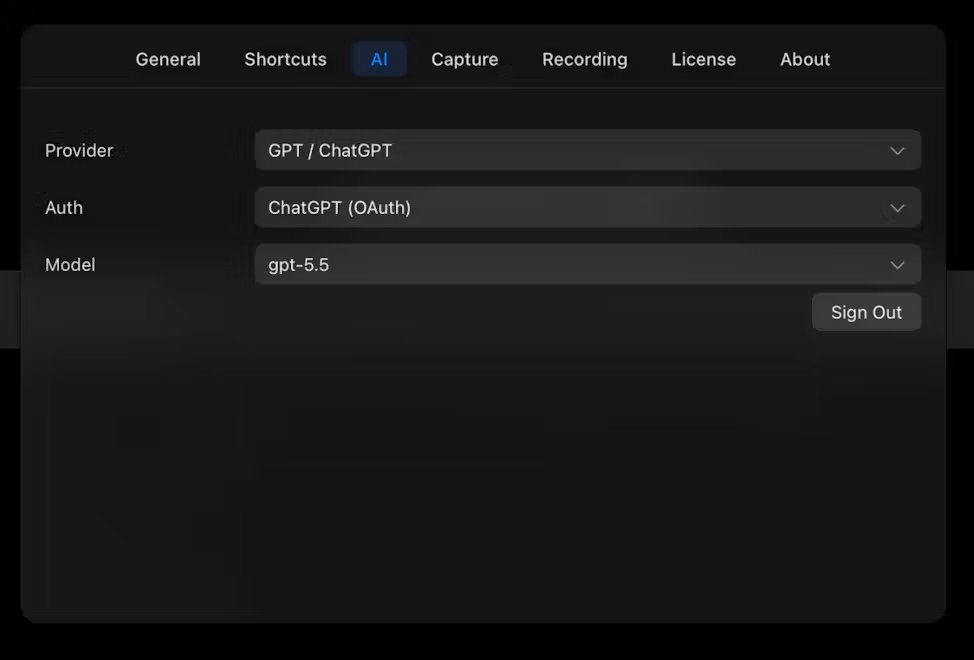
Bring your own key: no second AI bill
The panel talks to your own model — Claude by default, or any OpenAI-compatible endpoint: paste an API key in Settings → AI, pick the provider and model, done. Two consequences people actually care about:
- One bill. If you already pay for an AI plan or API, screenshot questions ride on it. No second subscription for the privilege of not retyping.
- You chose where the pixels go. The capture goes to the provider you configured and nowhere else. The capture itself never leaves your Mac.
Details on wiring it up: bring your own Claude API key.
Questions worth asking the screen
- “Explain this error like I’m not a developer, then give the fix.”
- “Translate everything in this shot to English, keep the formatting.”
- “What numbers changed in this chart vs a healthy one?”
- “Turn these bullet points into three email-ready sentences.”
- “What’s the fastest next step here?” — the one that saves the most minutes.
Frequently asked questions
Can I ask ChatGPT about a screenshot without uploading it?
With a tool that has the AI built into the capture, yes — the screenshot is handed to the model the moment you ask, no manual upload. iShot does this with your own OpenAI-compatible or Claude key, so the model behind the answer is the one you already pay for.
Does the screenshot get uploaded somewhere I don’t control?
The capture stays local until you ask a question; then it goes to exactly the provider you configured in Settings → AI. There’s no middleman service holding your screenshots.
Do I need a paid AI subscription for this?
You need access to some model — an API key or an account with OpenAI/Anthropic-compatible access. If you already have one, iShot adds no new AI cost; you’re just pointing your existing key at your screen.